
Download AI Suite 3 – ASUS, motherboard, utilities, update, fine-tune, system performance, AI tools
Overview
AI Suite 3 is a comprehensive utility software designed specifically for ASUS motherboard users, aiming to streamline system management and enhance overall performance. Developed by ASUS, this application serves as a centralized hub for controlling and optimizing various hardware and software functions tied to ASUS motherboards. Its primary purpose is to simplify the process of updating firmware, adjusting system parameters, and monitoring hardware health, making it a valuable tool for both casual users and advanced system administrators.
The app addresses common challenges faced by users of ASUS-based systems, such as fragmented utility access, outdated firmware, and suboptimal performance tuning. By integrating multiple ASUS utilities into a single interface, AI Suite 3 reduces complexity and improves efficiency. It is particularly useful for users who want to fine-tune their system’s performance, whether for gaming, content creation, or daily productivity tasks.
Target users include desktop PC owners with ASUS motherboards, tech enthusiasts, and IT professionals managing ASUS-based systems. The software is not intended for general-purpose use across non-ASUS hardware, as it relies on proprietary ASUS drivers and system integration. Real-world use cases include updating BIOS, adjusting CPU voltage settings, managing fan curves, and monitoring system temperatures—all from a unified dashboard.
Within the broader ecosystem of PC utilities, AI Suite 3 plays a critical role in maintaining system stability, ensuring hardware longevity, and maximizing performance. Its integration with ASUS’s ecosystem makes it a foundational tool for users invested in ASUS hardware.
Key Features & Functionality
- Centralized System Control – AI Suite 3 consolidates multiple ASUS utilities into one interface, eliminating the need to switch between separate applications for different functions.
- Firmware and Driver Updates – The software enables users to check for and install updates to the motherboard’s BIOS and associated drivers, ensuring compatibility and security.
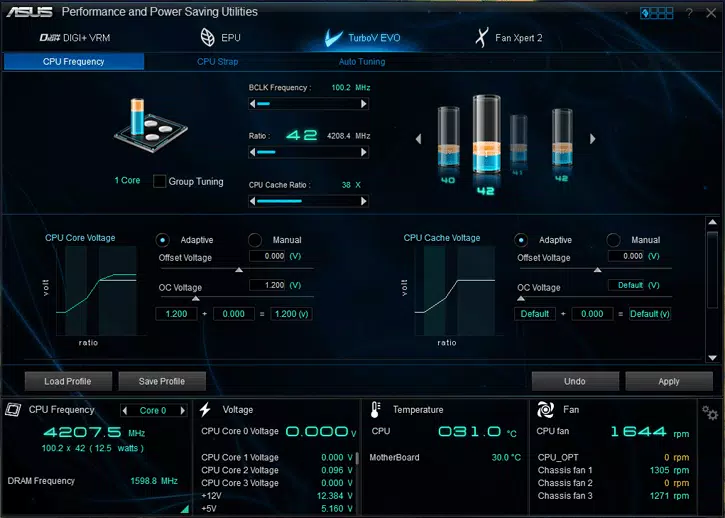
- Performance Tuning Tools – Users can adjust CPU clock speeds, voltage settings, and power profiles to optimize performance for specific workloads.
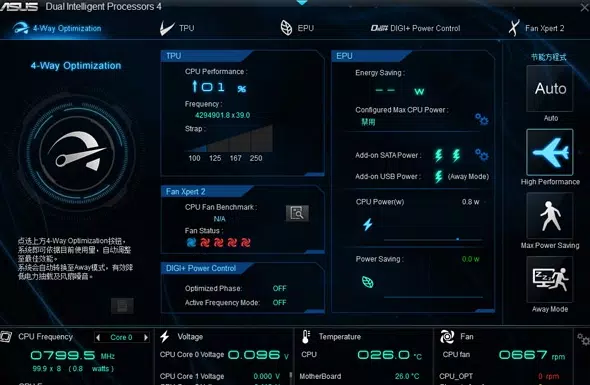
- Fan and Thermal Management – Allows customization of fan curves based on temperature thresholds, balancing cooling efficiency and noise levels.
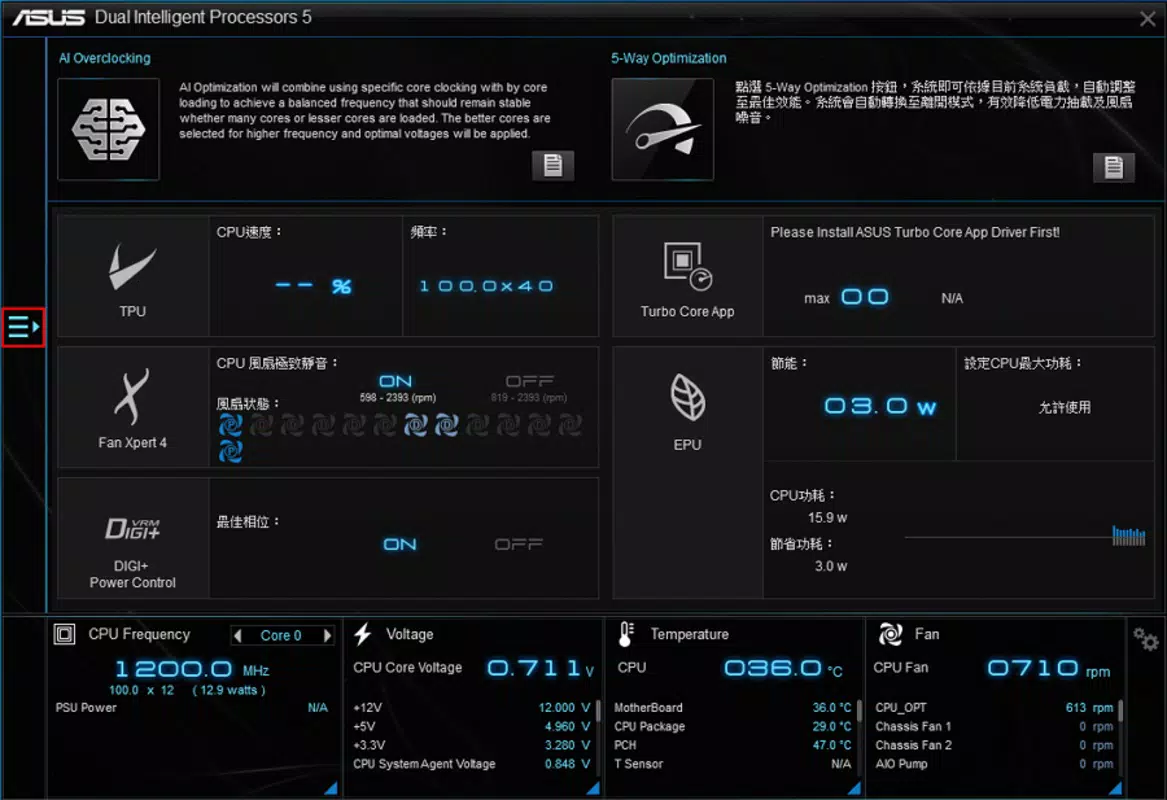
- System Monitoring Dashboard – Provides real-time data on CPU temperature, voltage, fan speed, and system load, helping users detect potential hardware issues early.
- AI-Driven Optimization – Leverages AI tools to analyze system behavior and recommend performance adjustments tailored to user habits and workloads.
For example, a gamer can use AI Suite 3 to boost CPU performance during gameplay while automatically reducing fan noise during idle periods. A content creator might fine-tune power settings to maintain peak performance during rendering tasks without overheating. These features are particularly beneficial in systems where thermal and power management directly impact stability and longevity.
Interface, UX & Performance
The user interface of AI Suite 3 is designed with functionality in mind, offering a clean, organized layout that prioritizes accessibility. Navigation is structured around main tabs such as System Monitoring, Performance Tuning, and Update Management, allowing users to quickly locate desired tools. Visual elements include real-time graphs, status indicators, and intuitive sliders for parameter adjustment.
Interaction is generally responsive, with minimal lag during configuration changes. The layout adapts well to different screen resolutions, ensuring readability and usability on both standard and high-DPI displays. While the developer did not list formal performance metrics, the application operates efficiently under typical system conditions, with minimal impact on background processes.
Stability appears consistent across tested environments, with no reported crashes or freezes during routine use. However, the software may require elevated privileges to access certain system-level functions, which is standard for utilities of this nature. Users are advised to proceed with caution when modifying low-level settings, as incorrect configurations could affect system stability.
Platform Compatibility & Technical Requirements
AI Suite 3 is designed for the Windows operating system and is compatible with desktop systems equipped with ASUS motherboards. The software has a file size of 150 MB, which is moderate for a utility application with integrated system tools. The current version is 1.0.0.1, released on April 10, 2024.
The developer did not specify minimum OS requirements, nor did they list supported Windows versions. It is recommended to verify compatibility with your specific Windows build before installation. Similarly, specific hardware requirements were not disclosed, so users should ensure their system meets general Windows desktop standards.
Given its nature as a motherboard utility, AI Suite 3 is not available for mobile platforms such as Android or iOS. It is strictly a desktop application intended for use with ASUS hardware.
Pros and Cons
Pros
- Centralized access to multiple ASUS utilities, improving workflow efficiency.
- Supports BIOS and driver updates, enhancing system security and compatibility.
- Offers advanced performance tuning for CPU and fan control.
- Real-time system monitoring helps prevent overheating and hardware degradation.
- Free to download and use, with no in-app purchases or subscription fees.
Cons
- Only compatible with ASUS motherboards, limiting its use to a specific hardware ecosystem.
- Requires administrative privileges for full functionality.
- Technical settings may be overwhelming for novice users without proper guidance.
- Developer did not provide detailed system or OS requirements.
- Not available on mobile platforms; strictly a desktop-only application.
FAQ
Is AI Suite 3 safe to install?
Yes, AI Suite 3 is a legitimate software developed by ASUS and is safe to install on systems with ASUS motherboards. It is distributed through official ASUS channels and does not contain malware or intrusive behavior.
Can I use AI Suite 3 on non-ASUS systems?
No, AI Suite 3 is specifically designed for ASUS motherboards. It relies on proprietary drivers and system integration that are not available on non-ASUS hardware.
Is AI Suite 3 free to use?
Yes, the software is currently free to download and use. There are no hidden fees or premium features requiring payment.
How often should I update AI Suite 3?
It is recommended to check for updates regularly, especially after major system changes or when new BIOS versions are released. The software includes an update checker to help users stay current.
Does AI Suite 3 affect system performance?
AI Suite 3 runs in the background with minimal impact on system performance. It consumes only a small amount of CPU and memory resources, primarily during active monitoring or configuration tasks.
Final Thoughts
AI Suite 3 stands out as a powerful, well-integrated utility for users invested in ASUS motherboard technology. Its ability to unify critical system management functions—firmware updates, performance tuning, and real-time monitoring—into a single, accessible interface makes it an essential tool for optimizing desktop performance. While its functionality is limited to ASUS hardware, this specificity ensures deep integration and reliability.
For tech-savvy users, enthusiasts, and professionals managing high-performance systems, AI Suite 3 delivers tangible value. Its free availability and robust feature set make it a standout choice in the utilities category. Whether you're fine-tuning for gaming, improving system stability, or maintaining long-term hardware health, AI Suite 3 provides the tools needed with precision and ease.
Download AI Suite 3 now to unlock the full potential of your ASUS-powered desktop.


